How to Divide Family Admin With Your Partner Without Constant Reminders
A practical workflow for dividing family admin by domains, with clear owners, source context, reminders, and a weekly review.
When Helping Still Leaves One Parent in Charge
Your partner says, Just tell me what needs doing. You know they mean well, and you also know why the sentence lands badly. If you have to notice the work, decide the next step, explain it, remind them, and check whether it happened, you are still managing the task.
Family admin becomes exhausting when one adult owns the thinking and the other adult only receives assignments.
The Failure Pattern: Splitting Tasks, Not Ownership
The failure pattern is dividing doing while leaving management in one place. One parent signs forms, books appointments, buys supplies, and remembers deadlines. The other parent helps when asked. On paper, both adults are doing tasks. In real life, one adult is still the operating system.
A better division includes the whole loop: notice, decide, do, remind, and close. If only the doing is shared, the mental load stays mostly unchanged.
A Manual System for Dividing Family Admin
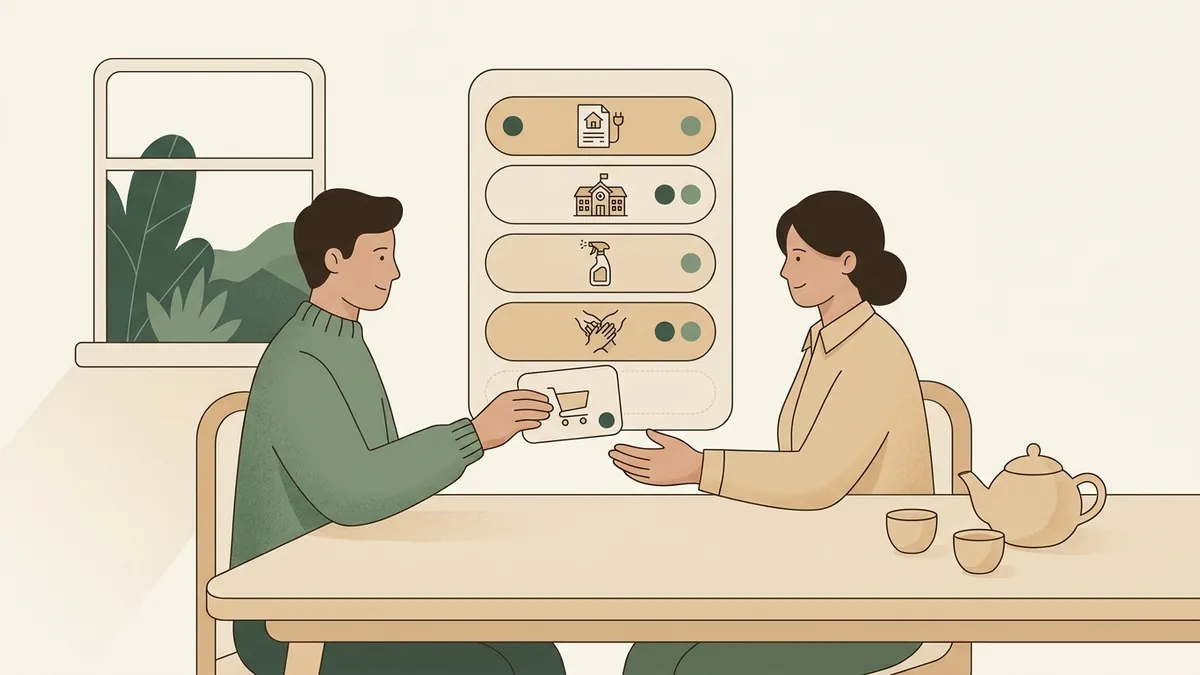
Start by naming the family admin domains. Common ones include school forms, school calendar, daycare messages, medical appointments, activity logistics, birthday parties, clothes and gear, meal planning, groceries, bills, childcare coverage, and travel.
Then decide who owns each domain for the next month. Ownership can rotate later, but short trials work better than permanent debates. The owner is responsible for checking the relevant source, turning updates into tasks, setting reminders, and asking for help early when needed.
Checklist
Family admin division checklist
- List the recurring admin domains.
- Assign one owner to each domain for a trial period.
- Give each owner access to the source inboxes, apps, calendars, and logins they need.
- Write tasks in a shared place with owner, due date, reminder, and source.
- Review the next seven days together once a week.
- Adjust domains when workload or schedules change.
Make the Handoff Specific
A domain handoff needs more than a sentence. If one parent takes school forms, they need to know where forms arrive, which deadlines matter, whether paper copies come home in backpacks, how payments work, and where completed forms go.
Write the domain rules once. For example: Check school email Monday and Thursday. Add dates to family calendar. Add actions to shared task list. Keep the email link or subject line in the source note. Flag anything requiring both parents at the weekly review.
What to Watch Out For
Watch for silent ownership drift. If one adult keeps answering all the questions because it is faster, the system returns to the old pattern. Use phrases that point back to the shared plan: Is it in the task list? Did you check the school email source? Who owns that domain this month?
Also watch for perfection traps. The new owner may pack the bag differently, choose a different birthday gift, or set reminders at a different time. Step in only when the difference affects the child, the deadline, the budget, or the household agreement.
If an area repeatedly fails, fix the system before blaming memory. The owner may need earlier reminders, better source access, a smaller domain, or a clearer definition of done.
Where Solenne Helps
Solenne helps with the intake and translation work behind family admin. Instead of one parent forwarding school emails and then explaining what matters, Solenne helps turn messages into a reviewable plan.
A school update can become a calendar date, a permission slip task, a fee reminder, a bring item, and an assigned owner. Parents can review the source and adjust ownership before the item becomes part of the household plan.
That makes it easier for both adults to work from the same facts instead of relying on one parent to remember and repeat them.
Practical Takeaway
Dividing family admin with your partner works best when you divide ownership along with tasks. Name the domains, assign the whole loop, keep source context visible, and review the week together.
The manual version can start with a shared note and a weekly check-in. Solenne helps when the hard part is turning constant family communication into clear actions both adults can trust.
FAQ
Questions parents ask
How do you divide family admin fairly?
Start by listing the recurring admin areas, then assign whole domains instead of individual favors. Each domain needs one owner for noticing, planning, doing, and follow-up.
How do I stop being the family reminder system?
Use one shared plan that includes the action, owner, due date, reminder, and source. Then the answer to most questions becomes visible without one parent acting as the help desk.
Should both parents get every school email?
No. The goal is not to forward every message. The goal is to extract the useful dates, tasks, decisions, and source links into a shared plan both adults can review.
Try Solenne
Make family admin easier to share
Solenne helps parents turn school communication into shared dates, tasks, reminders, and clear ownership without forwarding every message manually.
Learn more about SolenneRelated articles
Keep building the system
How to Share School Emails With Your Partner Without Forwarding Everything Manually
A practical manual workflow for turning school emails into a shared household plan, with ownership and reminders.
Read articleHow Busy Parents Can Reduce Invisible Household Labor
A practical parent workflow for reducing invisible household labor by making intake, next actions, owners, reminders, and review visible.
Read article